
Our product
Your test bench finally speaks your language.
ETS SHADOW® is the control software for industrial test benches: you assemble logic blocks, you compile, and the test runs in real time.
in real time
Upgrade your existing bench
- 100% French solution
- Latest 2020s technology and beyond
- Parts guaranteed for over 10 years
- Software evolutions tailored to your needs
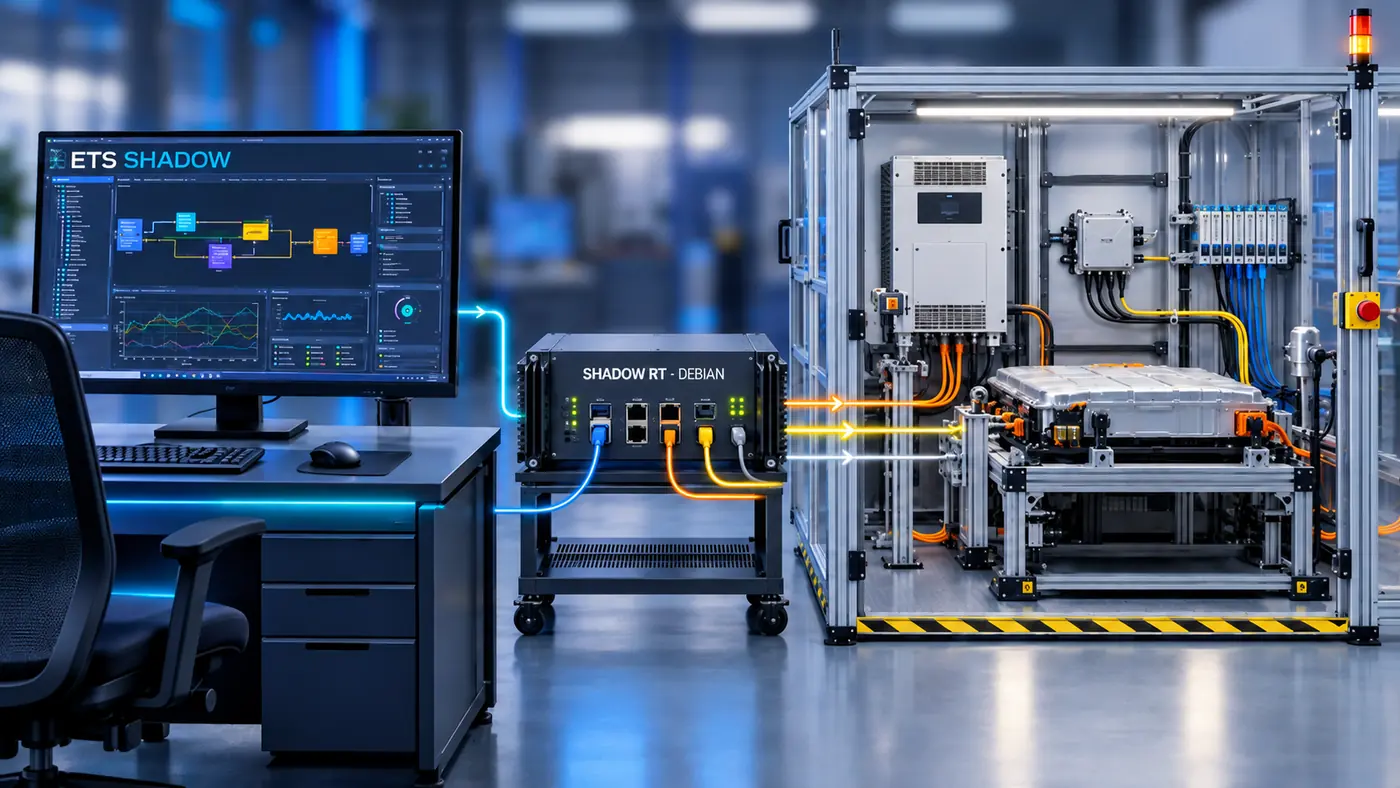
Three components, one data flow
Windows application
Model the bench on Windows- Simple pre-built configurations made of blocks, with no need to know how to code.
- Advanced configurations in Python.
- AI-compatible model you can prompt.
SHADOW RT Debian
View the bench in real time- Configurable real-time execution of sequences.
- Measurements up to 10 kHz.
Bench equipment
- Communication with the test objects.
- Communication with power cabinets, climatic chambers and I/O modules (CAN, EtherCAT, PROFIBUS…).
One tool, from logic to supervision
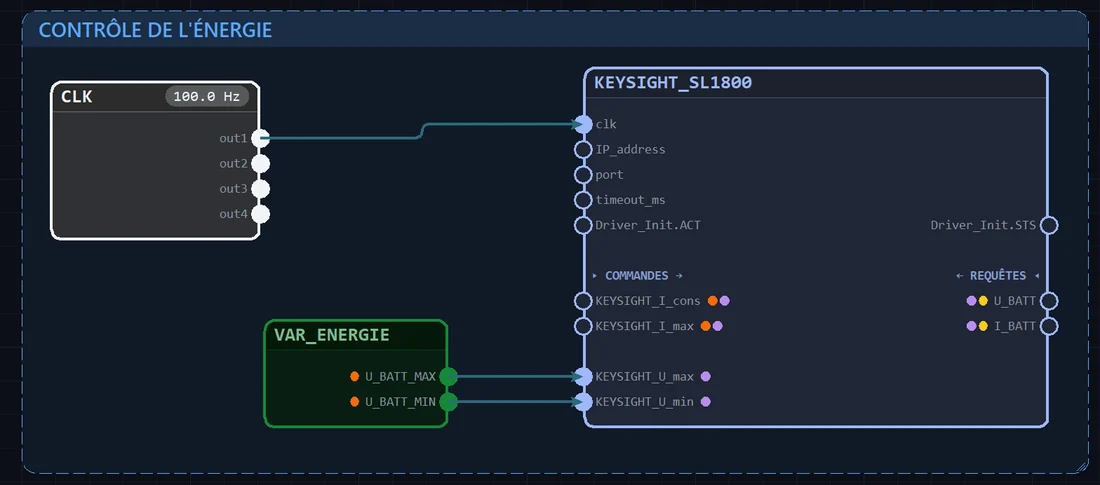
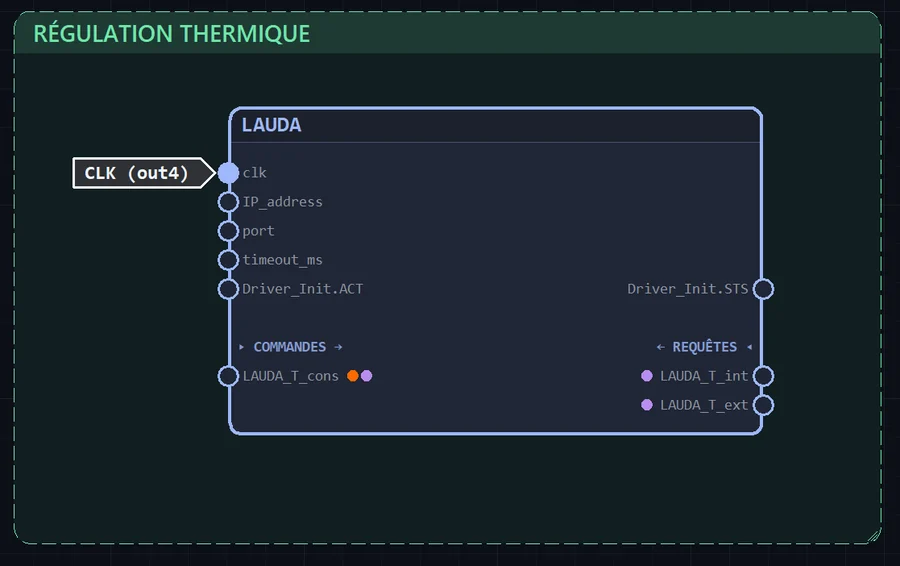
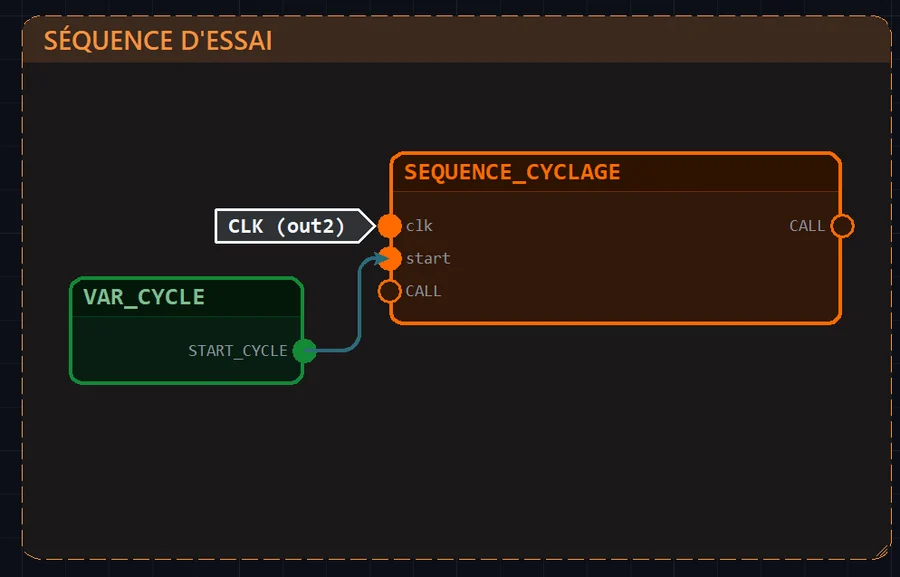
In the editor: configure your project, one component at a time
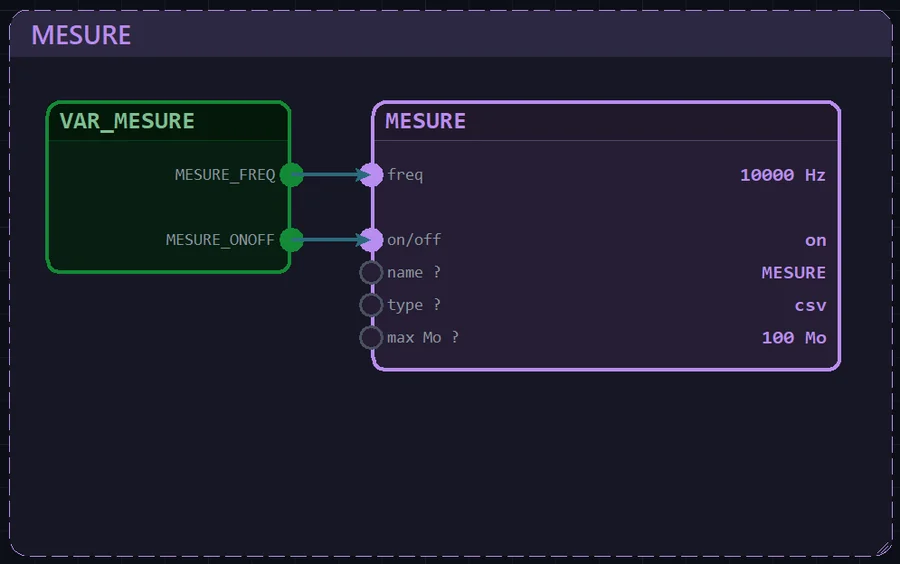
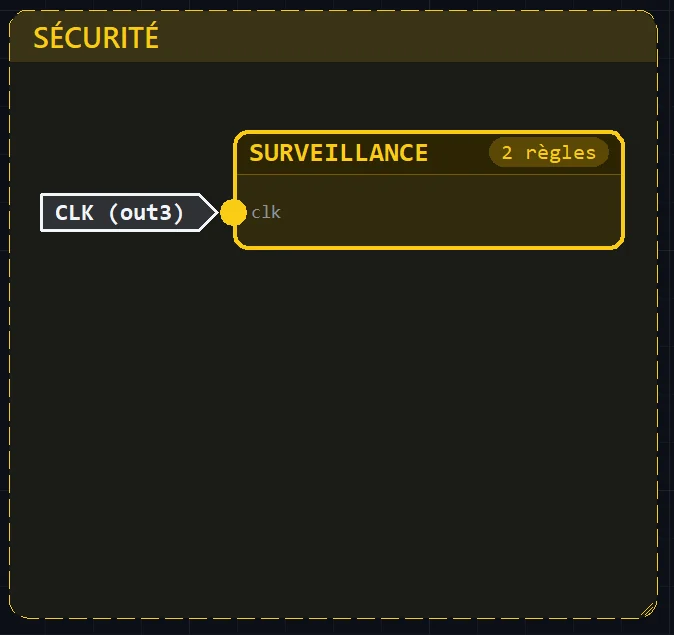
In the RT workspace: run and follow your test
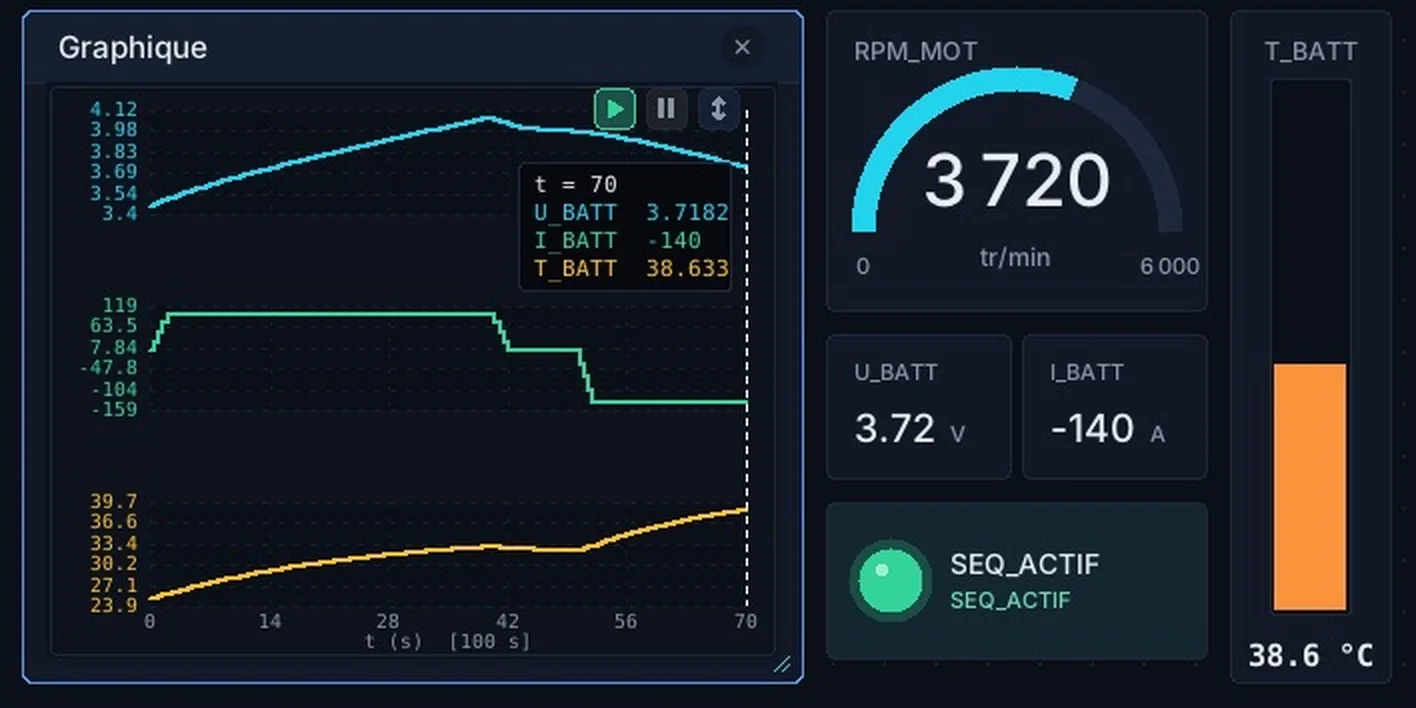
ETS SHADOW screenshots on a demonstration project. Values and curves are for illustration.
01
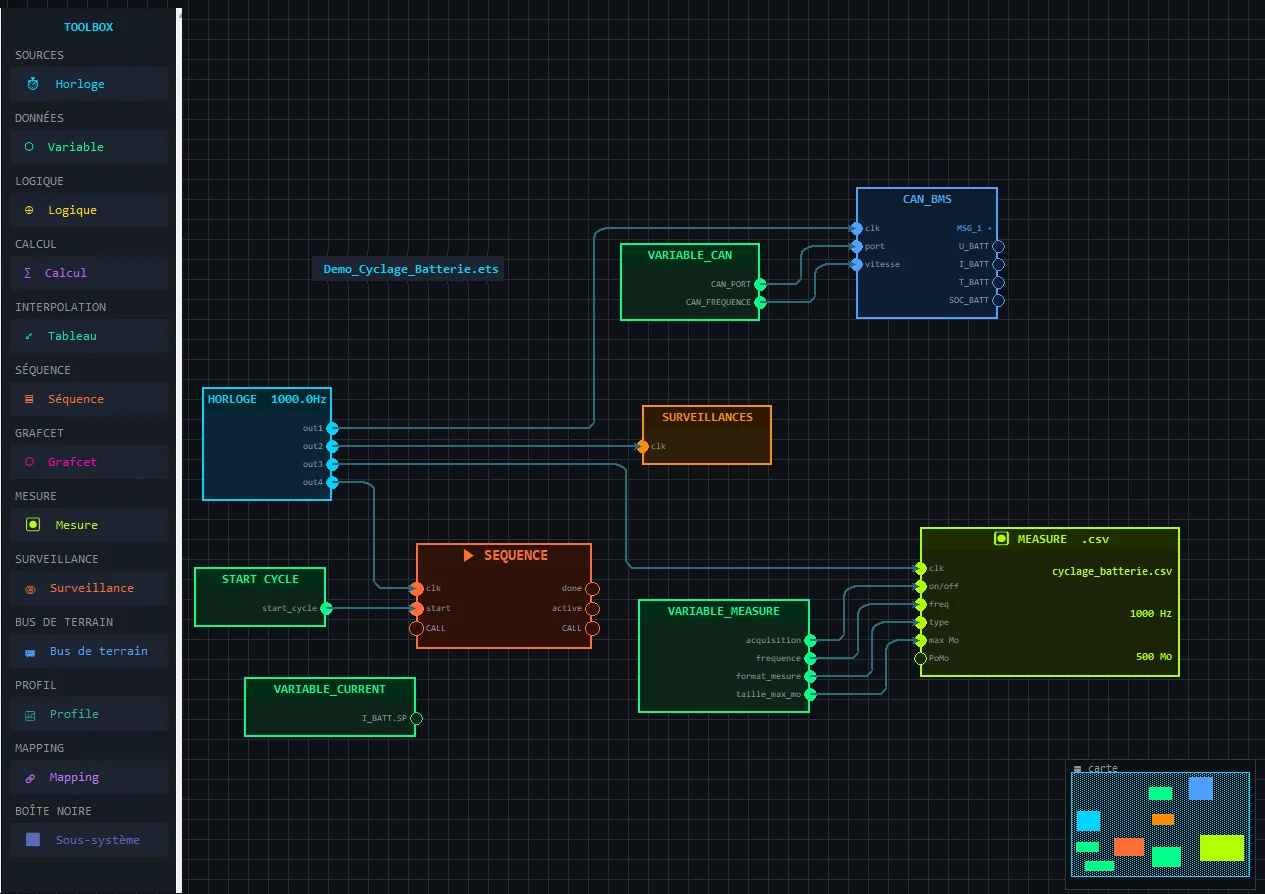
Build an .ets project without writing code
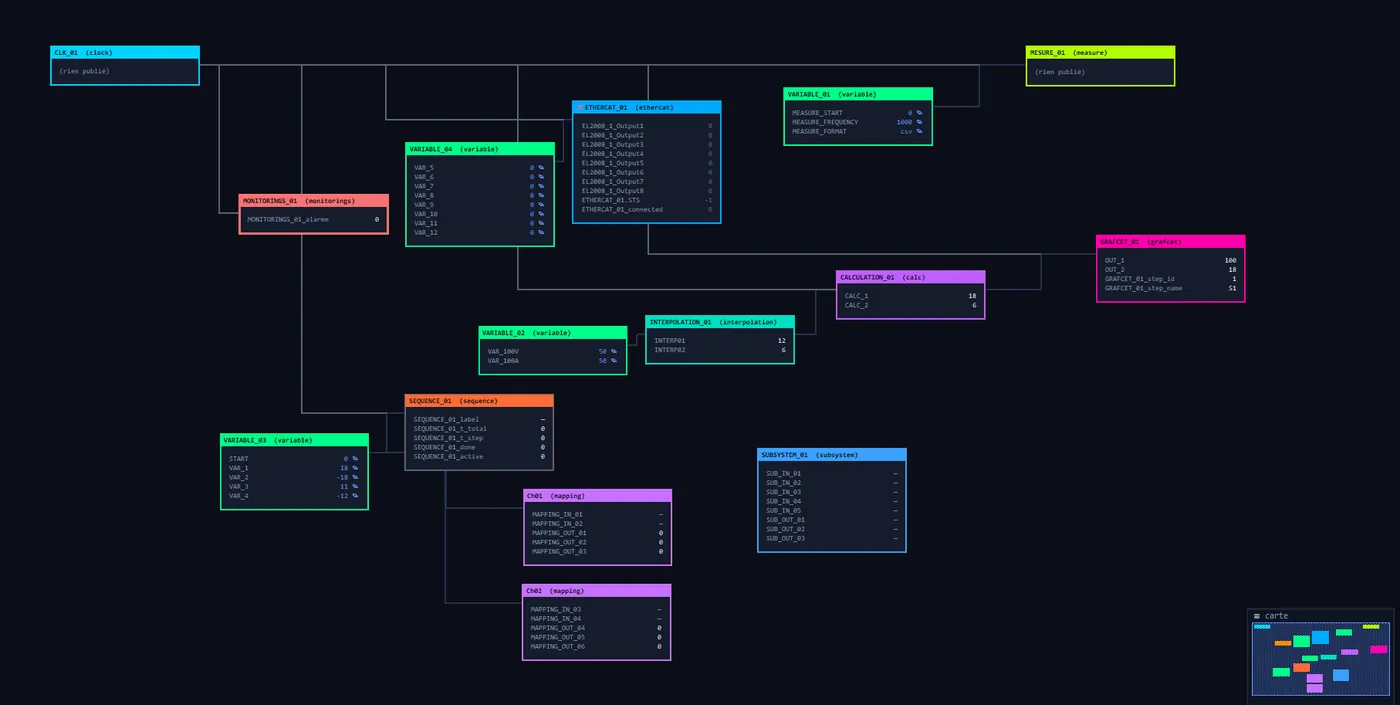
- Drag the blocks, connect them to each other and use the ready-made pre-coded functions.
- Enjoy a uniform view where all the test information is in one place. No scattered configuration panels, and you can start using it right away.
- Read the project like an open book, from left to right, following the logic flows.
- Use your personal AI to evolve the .ets by prompting.
- Let the built-in mini-map guide you.
01.1
The functions available in ETS SHADOW®
16 blocks to organize, control, observe and communicate with the bench equipment.
Organize
- ClockCadence and priorities
- VariablesParameters and setpoints
- LogicBoolean conditions
- CalculationMath, PID and Python
- TableInterpolation and calibration
Control
- SequenceSteps, actions, loops
- GrafcetLogic states and transitions
- ProfileSetpoints over time
Observe
- MeasurementVariable recording
- MonitoringThresholds, alarms and messages
Communicate
- CAN TestedRX and TX signals via DBC
- EtherCAT TestedBench PDO channels
- UDP TestedTyped datagrams
- Profinet In developmentIndustrial I/O
- Modbus TCP TestedRegisters and commands
- TCP client TestedExchanges with a device (SCPI, SLEP, …)
01.2
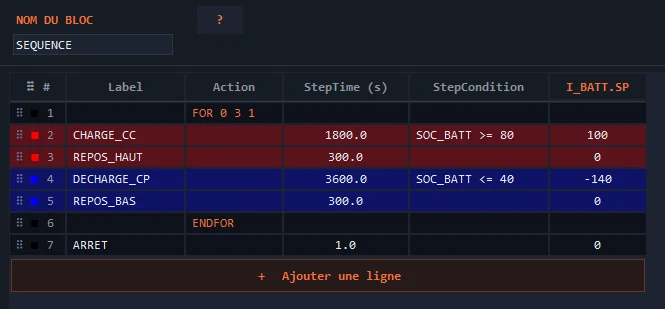
A readable, configurable cycling sequence
Example: constant-current charge up to the target SOC, rest, discharge, then the cycle repeats.
- Configure the variables to control, in type and in number.
- Use loops, sub-sequence calls and .csv profile calls.
- Reproduce your test request (DE) and give the .ets to your personal AI to code the sequence with you.
02
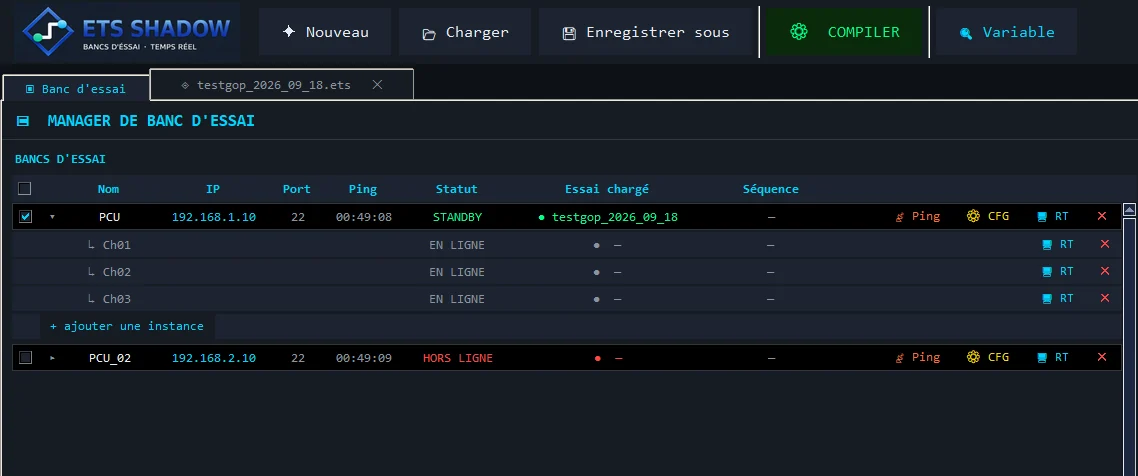
View all your test benches
- Configure and ping your SHADOW RT Debian PCs.
- See the status of your tests in real time.
- Compile your .ets files and view the content of your test logic.
03
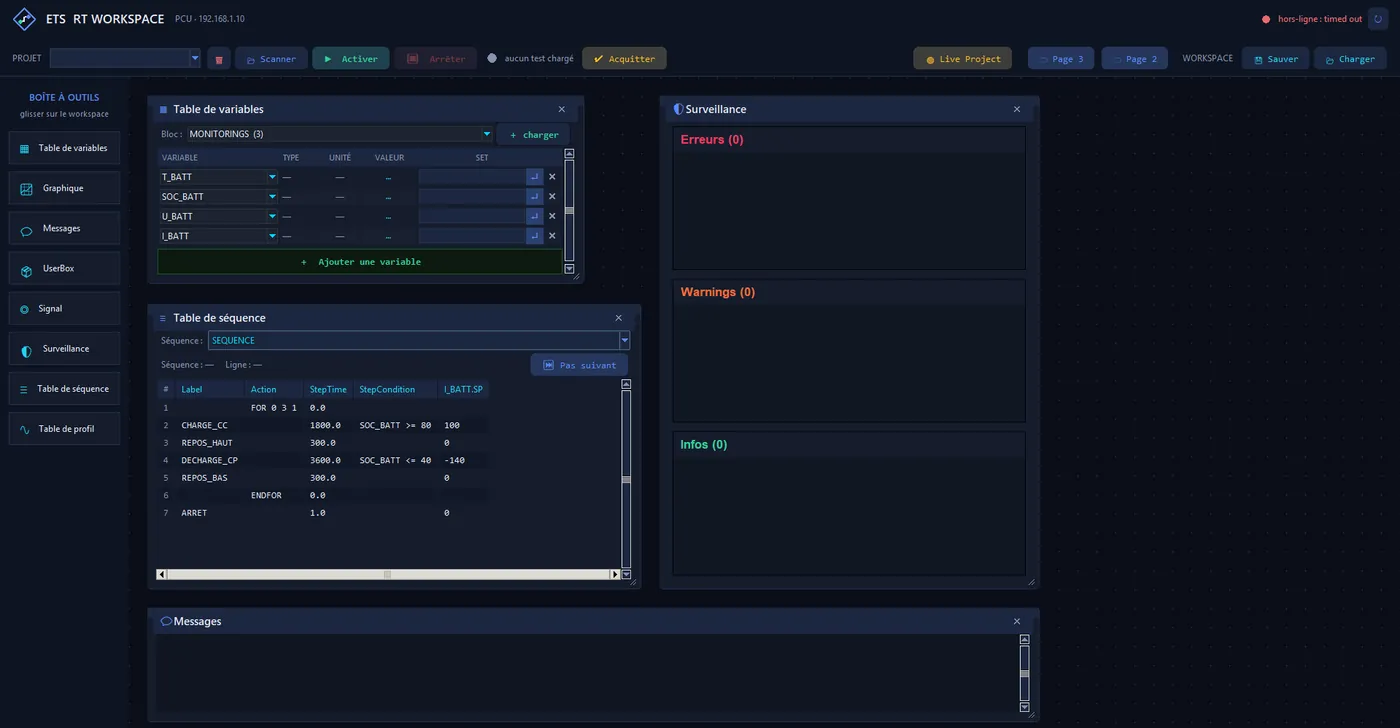
SHADOW RT Workspace: run and follow the test
Build the supervision that suits each bench: 8 widgets to drop and resize in the visualization space.
03.2
“Live Project”: real-time view of the block variables
+3 companies
already plan to trust ETS SHADOW® for their test facilities in 2027.
+5 types of benches in development
Dynamic measurements up to 10 kHz
Sequences and measurements executed in real time on an RT Linux PC.
A universal machine language
Compatible with most industrial systems
Any test equipment that communicates can be integrated
What if your next test bench ran on ETS SHADOW®?
Custom-built benches. Demonstration on your own use case, no commitment.